In e-commerce, product images can make or break a sale. Customers can’t touch or try your product, so your visuals have to do all the talking. Clean backgrounds, sharp details, and professional styling instantly build trust and increase conversions. The good news? You don’t need expensive software or a professional studio to achieve this. CapCut Photo Editor is a powerful yet beginner-friendly solution for creating polished e-commerce product images. With its AI Design tools, smart enhancements, and flexible export options, CapCut helps sellers create eye-catching visuals for online stores, social media ads, and product listings—all from one place. Whether you sell clothing, beauty products, gadgets, or handmade items, CapCut Photo Editor allows you to turn simple photos into professional, sales-ready images in minutes.
Why CapCut Photo Editor Is Perfect for E-Commerce
E-commerce images must look clean, consistent, and appealing across platforms like Amazon, Shopify, Etsy, and Instagram. CapCut makes this easy by combining AI technology with intuitive editing tools.
Here’s why online sellers love it:
- AI-powered image creation and enhancement
- Background cleanup and creative redesigns
- No advanced design skills required
- Fast workflow for bulk product visuals
- Multiple export formats for different marketplaces
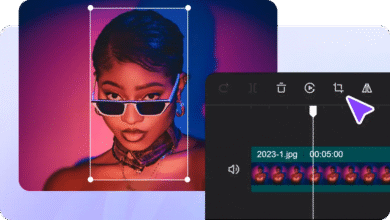
From product launches to seasonal promotions, CapCut Photo Editor helps you stay visually competitive without extra costs. Plus, CapCut also offers a Web version, letting sellers crop videos, resize assets, and make quick browser-based edits — ideal for keeping product pages and ads consistent across platforms.
How to Create E-Commerce Product Images Using CapCut Photo Editor
CapCut is an amazing editor with unique AI features such as Text to Speech AI, AI Video Generator, AI Voice Generator, and more. These tools help content creators to achieve their editing goals. Below is a simple process for creating professional product visuals in CapCut Desktop Video Editor. The steps let you edit your e-commerce product image and help you to impress your buyers. Let’s explore!
Step 1: Open CapCut Desktop and Explore AI Design
Start by launching CapCut Desktop on your computer. Once inside the main dashboard, look to the left-hand panel and choose AI Design. This section is the creative core of CapCut Photo Editor. It allows you to generate and enhance images for many purposes, including product photos, branding visuals, promotional banners, and social media graphics.
Instead of manually editing every detail, AI Design helps you build high-quality visuals faster. For e-commerce sellers, this is especially useful when you need clean product layouts, lifestyle scenes, or creative backgrounds that match your brand style.
Step 2: Upload Your Product Image and Describe the Desired Look
Once you’re inside the AI Design workspace, it’s time to bring in your product. Click Upload Image and add your product photo. This could be a raw photo taken with your phone or a basic studio shot.
Next, you’ll see a text prompt area. This is where you describe how you want your final product image to look. The more clearly you explain your vision, the better the results will be.
For example, instead of a short phrase, describe details such as:
- Product style (modern, minimal, luxury, playful)
- Background type (white, gradient, lifestyle scene)
- Lighting mood (soft, bright, premium)
- Overall feeling (clean, elegant, bold)
The AI uses your uploaded image and prompt together to produce a refined visual product that looks professionally designed.
Step 3: Fine-Tune and Export Your Final Product Image
After the image is generated, CapCut provides multiple tools to refine it further. This is where your product truly becomes marketplace-ready.
You can:
- Adjust or replace the background color
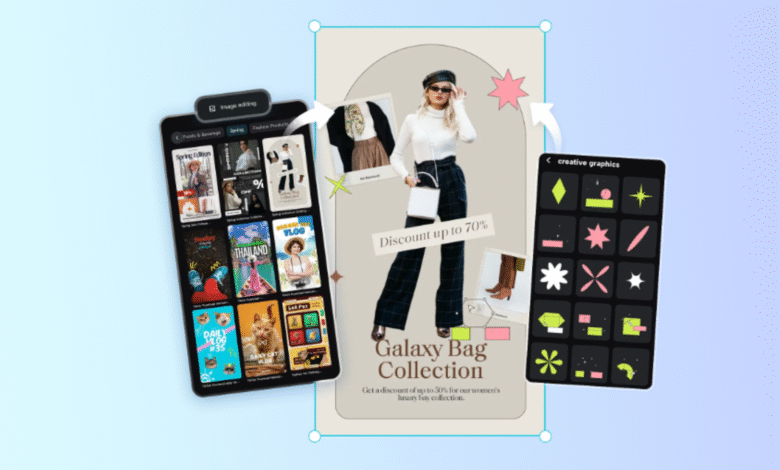
- Add brand text, pricing, or promotional labels
- Insert icons, stickers, or badges like “New” or “Best Seller.”
- Use AI outpainting to expand the image for banners or ads
- Improve composition for different aspect ratios
Once everything looks right, click Download. Choose the best format for your platform:
- JPEG for standard product listings
- PNG for transparent or high-quality visuals
- PDF for catalogs or promotional materials
You can also select an image size that matches marketplace requirements or social media dimensions. CapCut also allows direct sharing to platforms such as Instagram and Facebook, saving time when launching campaigns.
Conclusion
High-quality product images are no longer optional in e-commerce—they’re essential. With CapCut Photo Editor for E-Commerce Product Images, you can create clean, attractive, and conversion-focused visuals without expensive tools or complex workflows. Thanks to AI Design, prompt-based image generation, and flexible editing options, CapCut helps sellers of all levels present their products with confidence. Whether you’re launching a new store or refreshing existing listings, CapCut Photo Editor gives you everything you need to stand out in a crowded online marketplace. If you want faster results, better visuals, and stronger brand appeal, CapCut Photo Editor is a wise choice for your e-commerce journey.